Customer portal
Give clients one place to sign, pay and confirm the details
Clients sign in with an emailed single-use link, no password or app needed. On every plan they see their bookings, accept proposals, pay invoices and send dietary needs. Professional and Business add BEO and final-count approvals, change requests, messages, file links and access for the client's own team.
14-day free trial with every Business feature · No credit card
At a glance
- Sign in with an emailed single-use link
- Accept proposals with an e-signature
- Pay invoices through your Stripe or PayPal
- Approvals, requests and messages on Professional+
Available on Every plan (collaboration on Professional and Business)
What your clients can do without calling you
Fewer emails back and forth, and every answer kept with the event.
Accept the proposal
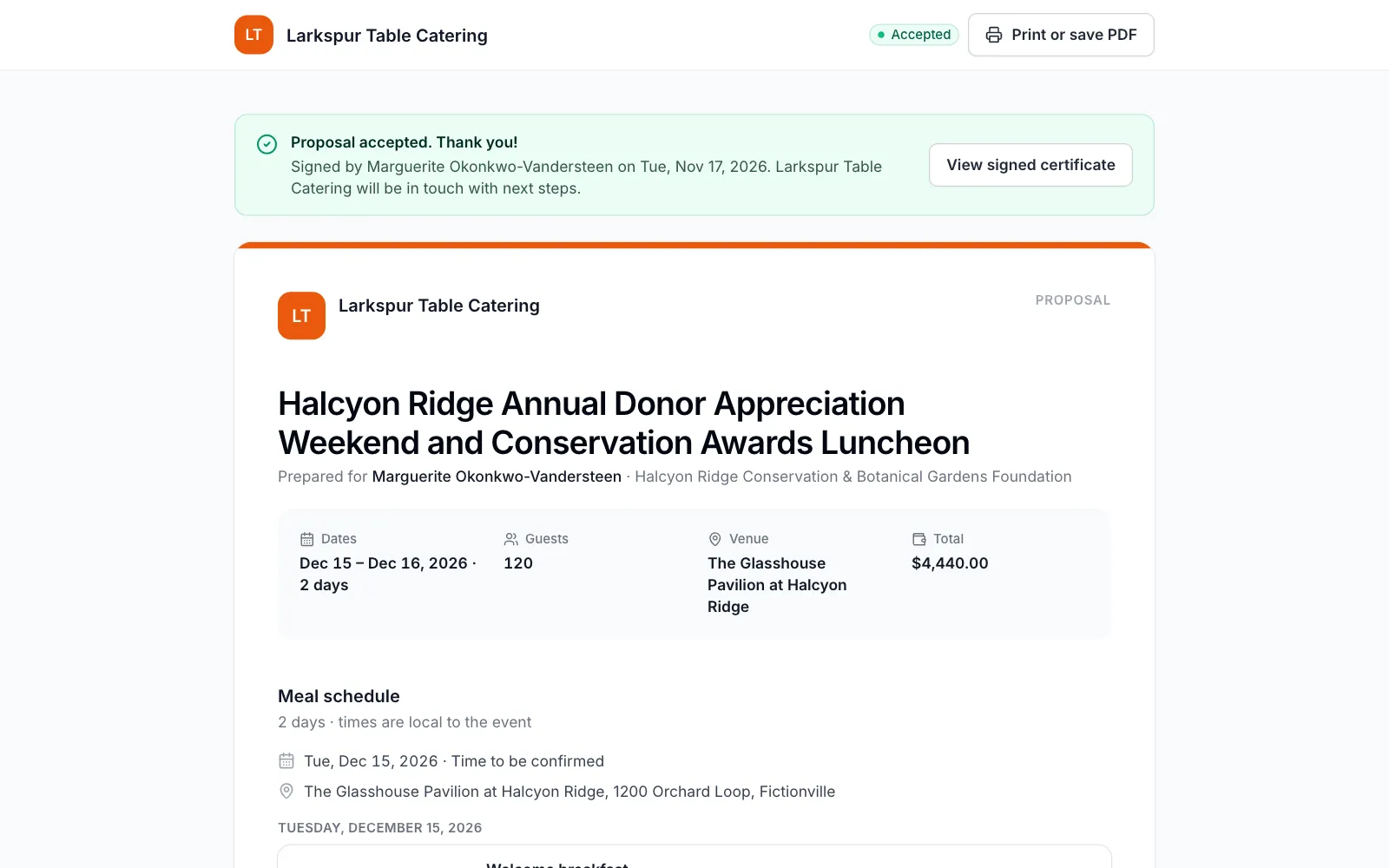
Clients review the proposal and accept it with an e-signature, or decline it. You keep an acceptance certificate.
Pay the invoice
Clients pay hosted invoices by card through your own connected Stripe or PayPal account. The money goes to your account and the processor's fees apply. Paying an invoice is separate from accepting the proposal.
Send dietary requirements
Clients submit dietary requirements in the portal, so they reach the event instead of sitting in your inbox.
Approve the BEO and final numbers
On Professional and Business, clients approve their BEO instructions and confirm final guest counts.
Ask for a change or send a message
On Professional and Business, clients send event change requests, message your team and open shared file links.
Bring in their own team
On Professional and Business, the main contact invites colleagues as representatives and chooses what each one can do, for example placing orders or sending messages without seeing billing.
For your clients
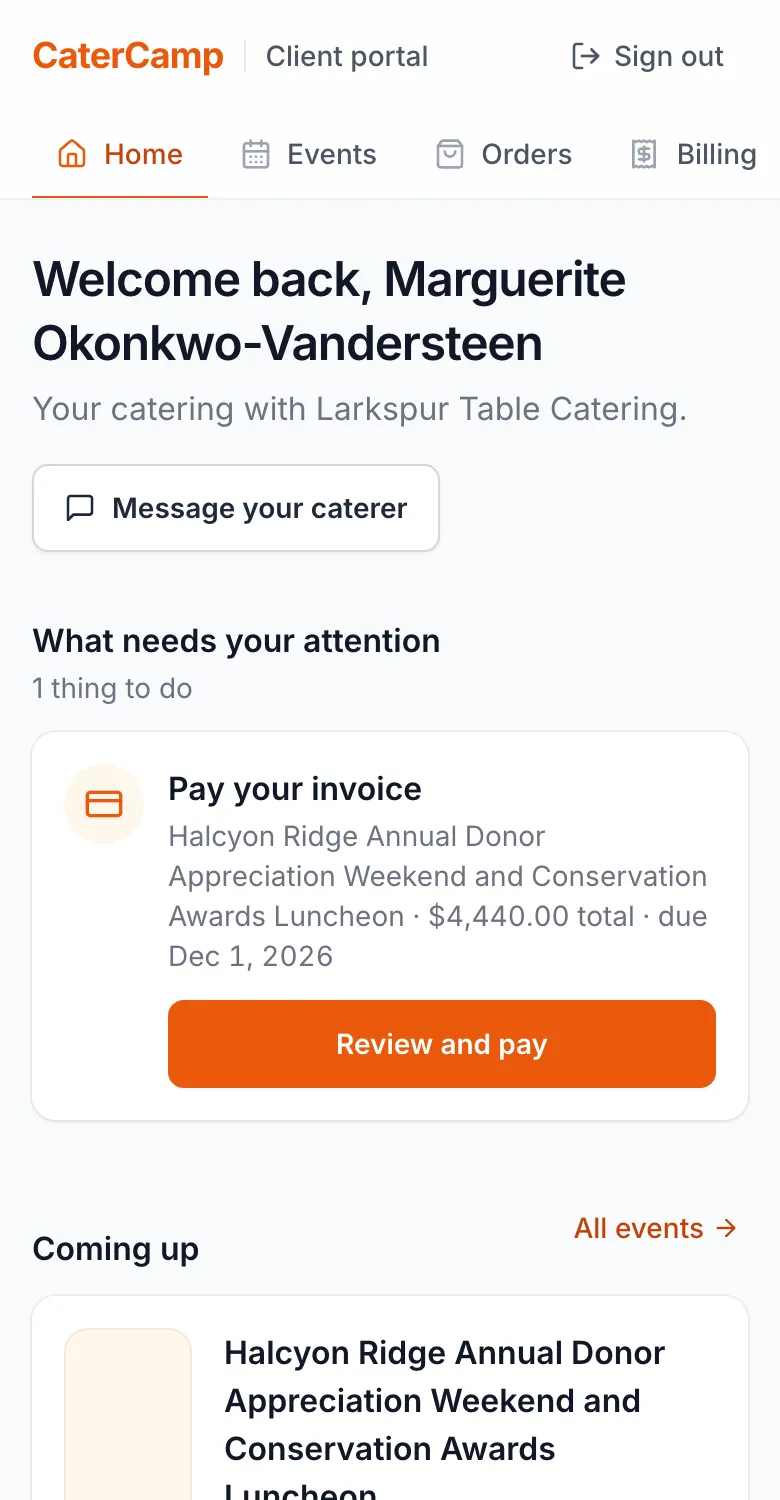
Clear on a phone, with the next step first
- Upcoming events with dates and guest counts
- Proposals and invoices waiting for them
- Messages and requests in one thread (Professional)
Proposals
Signed proposals, with a record you can keep
- Secure link that works without an account
- Acceptance certificate after signing
- Declines show up on the proposal, so you can follow up
How clients use the portal
- 1
You add the client's email
The client record you already have is all the portal needs. Sending a proposal or invoice gives the client a link to it.
- 2
Client signs in by email link
They enter their email and receive a single-use sign-in link that expires after a short time. There is no password to remember.
- 3
They see what needs attention first
A proposal to sign or an invoice due appears before their upcoming events, with dates and guest counts. It works in a phone or computer browser.
- 4
They act, and you see it on the event
Accept or decline, pay, and send dietary needs. On Professional and Business they also approve the client BEO, confirm final numbers, request changes and message your team.
Which plan you need
- Starter
- Email-link sign-in, bookings, proposals, invoices, e-signature acceptance, hosted payments and dietary submissions.
- Professional
- Adds BEO approval, final guest counts, change requests, messages, shared file links and customer team access.
- Business
- Adds corporate order requests, one-time or recurring, and review of shared corporate orders.
Every 14-day trial includes Business features. Compare plans
Good to know
- Online card payment on invoices is switched on by CaterCamp for each workspace; until then clients see payment instructions instead, and you record payments by hand.
- The portal uses CaterCamp branding. There is no custom domain or white-label option.
- Online payments need your own Stripe or PayPal account connected.
- No native mobile app or SMS. Clients use the portal in their browser.
- Recurring corporate requests come from the customer. CaterCamp does not create orders automatically.
Also built in
Multi-day events
One booking holds every meal of a conference or wedding weekend, each with its own date, time, venue, headcount and menu.
Every plan
Multiple locations & brands
Run several kitchens and trading brands from one workspace, each with its own inquiry form, catalogue and branded documents.
Business
Related pages
Client portal questions
What is a catering client portal?
A secure web page where your clients see their bookings, proposals and invoices and act on them. In CaterCamp they can accept proposals, pay invoices and send dietary requirements on every plan.
Do clients need a password or an app?
No. Clients sign in with a single-use link sent to their email and use the portal in their browser.
Who can use the portal on the client's side?
The main contact on every plan. On Professional and Business the main contact can invite colleagues and choose what each person can do, such as placing orders or messaging without seeing billing. On Business, company clients can also send corporate order requests for review.
Can I brand the portal with my logo and colours?
Not yet. The portal uses CaterCamp branding and there is no custom domain. On Business, brands put your logo and details on documents.
Can clients pay invoices through the portal?
Yes, once you connect your own Stripe or PayPal account. You can still record cheques, cash and bank transfers by hand.
Can clients approve BEOs and final numbers?
Yes, on Professional and Business. Clients can also send change requests and message your team.
Do clients pay to use the portal?
No. Clients use the portal at no cost. Card payments on your invoices go to your own Stripe or PayPal account, and the processor's own fees apply to you.
Does accepting a proposal in the portal mean the client has paid?
No. Acceptance records the client's e-signature and creates an acceptance certificate. Payment happens separately, when the client pays the deposit or balance invoice you send for the same event.
Give clients a clear place to say yes
Try CaterCamp free for 14 days with Business features. No credit card needed.
14-day free trial · No credit card required
References & Further Reading
- National Association for Catering and Events (NACE) (opens in a new tab)Industry trade association and certification body.
- International Foodservice Manufacturers Association (opens in a new tab)Benchmarks and trends for commercial foodservice.
- National Restaurant Association (opens in a new tab)State of the Restaurant Industry reports.